
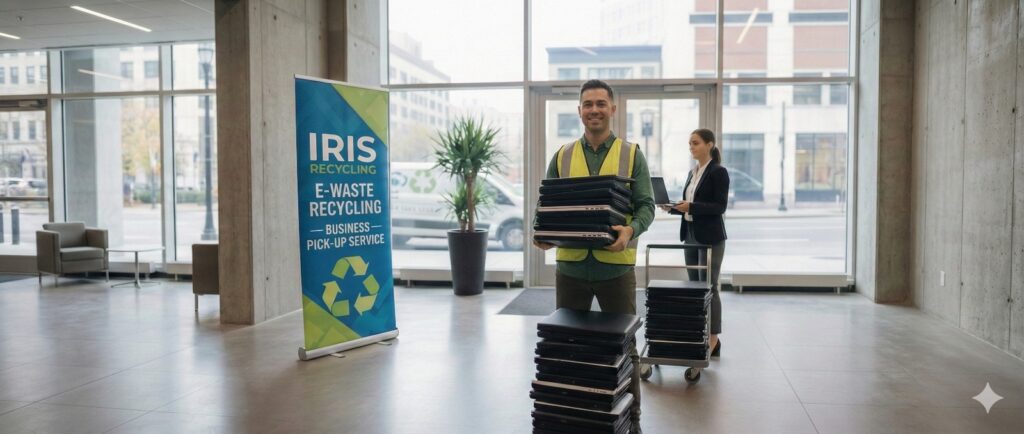
Old computers build up fast in schools and offices. With technology evolving fast, many people wonder: how do you recycle old computers without harming the environment or risking data leaks? The answer involves a mix of planning, secure disposal, and choosing the right recycling partner.
Step 1: Back Up Your Data
Make sure to save any important documents and back up your personal files and photos before recycling your computer. Make sure to back up your software files. Use an external hard drive or use cloud storage. You won’t risk the random loss of backed up files when recycling a computer.
Step 2: Wipe or Destroy Hard Drives
Computers contain sensitive personal data, from emails to banking information. Merely deleting files is not enough. Certified data-wiping software should be used, and for extra security, physically destroy the hard drive after the data wipe. Safe data destruction is offered by IRIS Recycling and similar businesses, practicing data destruction services with privacy law compliance.
Step 3: Evaluate Reuse Options
Not every old computer needs to be broken down. If the device still works, consider:
- Donation: Schools, charities, or community centers often accept functional computers.
- Resale: Older models may still have value in secondary markets.
- Repurposing: Some devices can be converted into media servers or learning tools.
This extends the lifecycle of electronics and reduces waste.
Step 4: Choose a Certified E‑Waste Recycler
Putting any computer in a non-certified recycling bin is hazardous. Certified e-waste recyclers have procedures in place to reclaim useful resources and ensure harmful materials don’t damage the environment by ending up in landfills.
Compliance with the relevant provisions and proof for bulk IT asset movements are just a few of the ways registered e-waste recyclers differentiate themselves from retail e-waste collection programs, such as e-waste collection programs at Bunnings.
For instance, IRIS Recycling provides:
- Complimentary collections for education and business sectors.
- Safe removal of sensitive data.
- Commitment to zero landfills.
Removal of various office devices, including desktops, laptops, and servers.
Step 5: Understand Environmental Benefits
It is not enough to simply throw old computers in the trash because of their negative impact on the environment. As a result of their
- Loss of metal elements, such as gold, copper, and aluminum.
- Toxic chemicals that harm water and soil.
- Let’s not forget the reusing of their parts, which helps the economy through the circular economy.
By promoting proper disposal of e-waste, you are helping slow down the fastest-growing waste in the world.
Step 6: Link to Professional Services
If you’re ready to recycle, explore IRIS Recycling and learn more about our services. Expert solutions go well beyond everyday recycling programs, ensuring peace of mind for both individuals and organizations.
Final Thoughts
So, how do you recycle old computers? First, back up data, erase drives, and assess drives for use. Then collaborate with certified recyclers for safe disposal. Recycling computers is of the utmost importance to the environment and to the computer owner’s data. Whether a person has a single laptop or a business has multiple computer employees, the proper recycling of each computer is a must.
