
Most businesses know they should recycle old laptops rather than throw them away. What fewer know is what actually needs to happen before a laptop goes to a recycling service. That preparation step is where most of the real risk lives, since a laptop handed over without it can leave a business exposed to data breach risk, privacy law non compliance and an incomplete chain of custody.
The good news is that preparing laptops for recycling is straightforward once you know the steps. This guide walks through exactly what to do, in the right order, before any business laptop gets collected or dropped off.
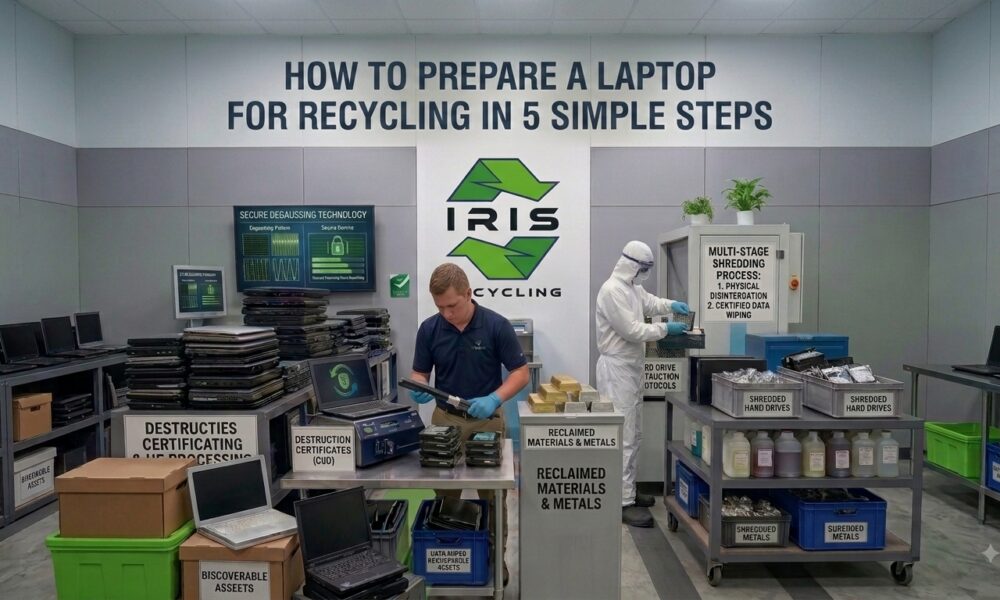
How Do You Prepare a Laptop for Recycling?
Audit every laptop, back up anything still needed, remove it from your asset register and deactivate its licenses, separate it from general tech waste, and choose a recycler that destroys data before processing and can document the result. Getting these five steps right before collection day closes the compliance gap before the laptop ever leaves the building.
Why Does Preparation Matter Before Laptop Recycling?
Why Isn’t the Physical Device the Real Risk?
When a business retires old laptops, the focus tends to be on getting the devices out of the building. But the laptop itself is not what creates liability, the data on it is. A laptop that goes to recycling without proper preparation carries whatever data was on it into the recycling process, and without verified destruction, that data stays recoverable by anyone who handles the device afterward.
How Does Preparation Close the Compliance Gap?
Under the Privacy Act 1988 and the Australian Privacy Principles, businesses must take active steps to destroy personal information once it is no longer needed. Preparation is how a business ensures that obligation is met before a device leaves its control, so an unprepared laptop carries an unresolved legal obligation while a properly prepared one is a device the business can account for and document. Our guide to laptop recycling and data security covers this obligation in more depth.
How Does Preparation Make Collection More Efficient?
A recycling service that receives a logged, separated, and ready to collect batch of laptops can process the collection faster than one that arrives to find devices scattered across multiple locations with no documentation.
Step 1: How Do You Audit Every Laptop Before Collection?
Before a single laptop is moved or packed, run an asset audit across every retiring device. Record the make, model, asset tag where applicable, approximate age, and the name of the last person who used it. This creates the starting record for chain of custody documentation and establishes what was collected, from where and when.
Audits feel administrative and easy to skip when the priority is clearing space, but a collection with no prior audit has no documentation and no chain of custody, and no defence if the process is ever questioned. For each laptop, note the device type, model or asset tag, last assigned user, date of retirement, and whether it held personal, client or commercially sensitive data. A simple spreadsheet covers every requirement and takes a few minutes per device.
Step 2: How Do You Back Up Everything Before Recycling?
Once a laptop goes through data destruction, everything on it is gone permanently, so the time to retrieve files and migrate data to a shared drive or cloud storage is before preparation, not after. Ask the last user of each laptop to confirm everything they need has been backed up.
Items commonly left behind include locally saved documents never moved to a shared drive, downloaded attachments not stored in email, browser bookmarks and saved settings, and locally installed software licences that need to be deactivated. For larger collections, a simple sign off process works well, with each laptop confirmed by its last user and a member of the IT team before it is logged for collection.
Step 3: How Do You Remove a Laptop From Your Systems?
A retired laptop that stays on the asset register creates a records problem, skewing inventory counts and creating confusion during audits. Formally retire each device from your asset management system at the same time it is logged for recycling, recording the disposal date, the recycling service used, and any reference number from the collection.
Software licences tied to a retiring device need to be deactivated before it leaves the business, particularly for products where active installations are tracked or limited, such as Microsoft 365 or Adobe Creative Cloud. If the laptop is enrolled in a mobile device management or endpoint management platform, unenroll and wipe it through that system as part of preparation, separate from the data destruction the recycler will apply.
Step 4: How Do You Separate Data Bearing Devices From General Tech Waste?
A laptop recycling collection often happens alongside a broader clearout that includes keyboards, mice, cables, monitors and docking stations, and not all of these carry the same risk. Split your collection into two groups. Data bearing devices include laptops, tablets, mobile phones, hard drives, USB drives and memory cards, and every item in this category needs verified destruction before processing.
General tech waste includes keyboards, mice, cables, monitors, webcams, headsets and power supplies, which do not hold data and can go straight to recycling without the same data security requirements. Label boxes or collection areas clearly so the recycling team can immediately identify which items are which, as our hard drive destruction guide explains for the data bearing category.
Step 5: How Do You Choose the Right Recycling Service?
The first four steps prepare your laptops for collection, but this step determines whether the collection itself is actually safe and compliant. The most important question is whether data destruction happens before processing, since a recycler that sorts or assesses devices first and erases later creates a window where data bearing drives are unprotected.
Ask which named erasure standard they use, such as DoD 5220.22-M or NIST 800-88, because a general claim of secure wiping without a named method is not verifiable. Confirm what happens to drives that cannot be wiped, whether they can provide documentation, and whether their process is zero landfill. Our guide on why secure data destruction is essential before recycling computers covers these questions in more depth. Let the recycler know your volume and any access arrangements, such as lift access or multiple floors, in advance to avoid delays on the day.
What Should You Check Before Collection Day?
Run through this before the recycling service arrives: the asset audit is completed and documented for every laptop, all data is backed up and confirmed by the last user or IT team, devices are removed from the asset register and device management systems, software licences are deactivated on all retiring devices, data bearing devices are separated from general tech waste, the recycler has confirmed a named erasure standard and documentation capability, and volume and access details have been communicated in advance.
Seven checks, one collection, laptops gone and compliance covered.
What Happens After Your Laptops Are Collected?
Every laptop collected by a responsible service goes through data destruction before anything else happens, with drives wiped to a verified standard or physically destroyed if they cannot complete a software wipe. Once data is destroyed, laptops are sorted by condition, with working devices assessed for refurbishment, older or damaged devices assessed for component harvesting, and anything beyond useful life going through material recovery.
Every material stream from a responsibly recycled laptop, including metals, plastics, batteries and recovered components, goes to appropriate downstream processors rather than landfill. Our guide on what happens to your electronics after recycling covers this journey in full.
Frequently Asked Questions
Do I need to back up a laptop that looks completely unused?
Yes. Even a rarely used laptop can hold locally saved files, cached logins or software licences the last user forgot about. Confirm with them directly rather than assuming an idle device has nothing worth keeping, since a completed data wipe cannot be reversed.
What if I do not know who last used a retiring laptop?
Check your asset register or IT helpdesk records for the last assigned user before proceeding. If nobody can confirm the device is clear, treat it as though it may hold sensitive data and include it in your verified destruction batch regardless.
Can I recycle laptops that are still enrolled in device management software?
You should unenroll them first. Wiping a device through your management platform closes the connection to your managed environment, which is separate from the data destruction the recycler applies. Skipping this step can leave the device showing as active in your systems.
How far in advance should I tell a recycler my laptop volume?
Let them know as soon as you have a rough count, ideally a few days before your preferred collection date. An accurate estimate helps the recycler bring the right resources and complete your collection in a single visit rather than needing a follow up.
Is laptop recycling preparation free or does it cost extra with IRIS Recycling?
Preparation is something your business handles internally, and it costs nothing beyond your own time. The collection itself is free for businesses and schools across Sydney, with data destruction included as standard once your laptops are ready.
Recycle Your Business Laptops with IRIS Recycling
IRIS Recycling provides free laptop recycling pickup for businesses and schools across Sydney. Every laptop we collect goes through Active@ KillDisk data destruction before sorting or processing begins, aligned with the DoD 5220.22-M standard and more than 20 other internationally recognised sanitisation standards.
IRIS holds a 5.0 rating from more than 100 reviews, and drop off is also available at our Prospect location for businesses that prefer to bring devices in directly. Our guide on where to recycle laptops in Sydney for free explains how collections work.
Ready to get your old laptops out of storage the right way? Book your free pickup with IRIS Recycling