Hard drive destruction is the process of permanently removing the data stored on a drive through software erasure or physical destruction, so that nothing can be reconstructed. When a business retires old computers or decommissions a server, the hardware is the visible part of the problem, and the drive inside is the part that actually matters.
A single drive can hold years of customer records, financial transactions, staff information, and login credentials, and unlike paper, that data does not degrade. This guide explains when hard drive destruction is required, which methods work, and what evidence you need to keep.
What Is the Best Method of Hard Drive Destruction?
For working drives, verified software erasure to a named standard such as NIST 800-88 is the most efficient method and leaves the drive intact for reuse. For damaged drives or highly sensitive data, physical destruction by shredding or degaussing is the right choice. Whichever method is used, you need documentation proving it was completed.
Why Is Hard Drive Destruction a Business Obligation?
What Does the Privacy Act Require?
Under the Privacy Act 1988 and the Australian Privacy Principles, businesses that hold personal information must take active steps to destroy or anonymise it when it is no longer needed. That obligation does not end when a device is switched off. It follows the device and its data until the data is verifiably gone. Schools often face state or territory privacy rules as well, so our guide to how schools can responsibly recycle old computers is a useful next read.
What Does the Notifiable Data Breaches Scheme Add?
If personal information is exposed because of improper device disposal, the business faces mandatory reporting to the Office of the Australian Information Commissioner, along with potential regulatory action and financial penalties. The real question is not whether to destroy drives but whether it gets done properly.
What Data Is Actually on a Business Hard Drive?
What Do Laptops and Desktops Hold?
A laptop used by one staff member for two or three years may hold locally saved documents, cached emails, saved browser passwords, internal login credentials, and client records. A desktop in finance, HR, or legal carries an even higher concentration of sensitive data. Our guide to laptop recycling and data security looks at this risk in more detail.
Why Are Servers the Highest Risk?
A decommissioned server may hold database content, years of email archives, financial records, customer information, and system configuration data that includes network credentials and access controls. Without verified destruction, all of it stays on the drive and is accessible to whoever ends up with it next.
What Is the Difference Between Deleting and Destroying Data?
What Do Deleting and Formatting Actually Do?
Deleting a file removes the visible reference to it. The operating system marks the space as available, but the data stays where it was until something overwrites it, and often nothing does. A standard format rewrites the file system structure but leaves most of the underlying data recoverable with freely available tools.
What Does Destruction Do Differently?
Properly carried out, hard drive destruction removes the data itself and not just the reference to it, so that no data can be reconstructed by any means. See why secure data destruction is essential before recycling computers for the wider picture.
Which Methods of Hard Drive Destruction Are Available?
How Does Software Erasure Work?
Software erasure overwrites every sector of the drive with meaningless patterns, usually across multiple passes. The best known benchmark is the U.S. Department of Defense DoD 5220.22-M method, while NIST 800-88 is especially relevant for SSDs and flash storage, where overwrite behaviour differs from spinning drives.
It is efficient, verifiable, and leaves the drive physically intact for refurbishment or material recovery.
When Is Shredding the Right Choice?
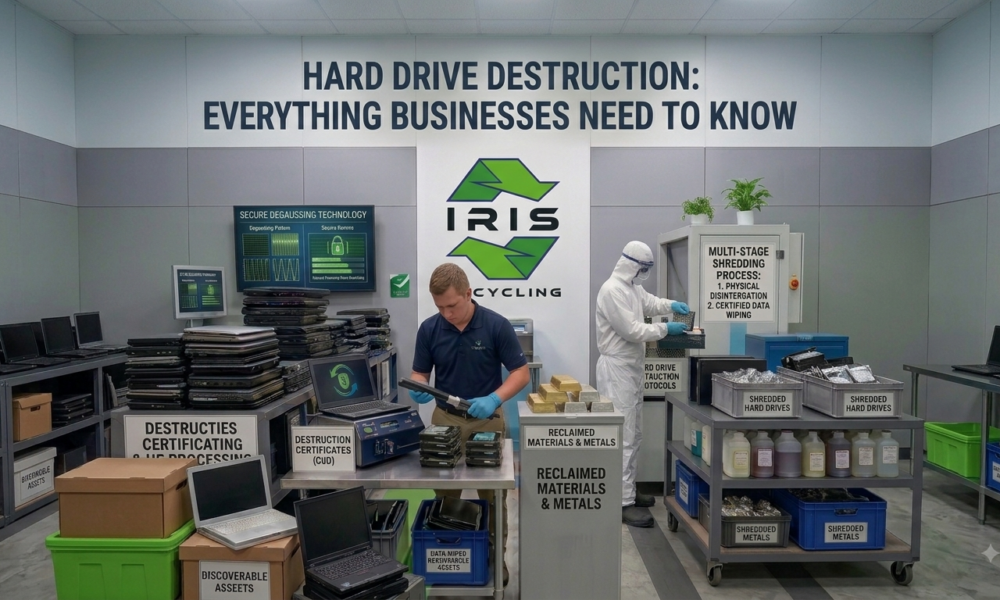
Shredding feeds the drive through an industrial shredder that reduces it to small fragments. It suits drives that are mechanically damaged, too degraded to complete an erasure, or used in environments where the data is sensitive enough to demand absolute certainty. It is also the right method for optical media and certain types of flash storage.
What Is Degaussing?
Degaussing uses a powerful magnetic field to scramble the magnetic data stored on a drive’s platters. It works on traditional spinning drives, and like shredding, it leaves the drive and its contents physically unrecoverable. It only works on magnetic media, so SSDs and flash storage need software sanitisation or shredding instead.
What Mistakes Do Businesses Make With Hard Drive Destruction?
Assuming Factory Resets Are Sufficient
Factory resets are designed to prepare consumer devices for resale, not to overwrite data to a recognised standard. A reset business device can have its data recovered just like any other, so it is not an acceptable substitute for verified destruction.
Handing Drives to a Recycler Without Verification
Not every IT recycler applies the same standard. Some process devices in bulk without checking that every drive was erased, and others expect you to wipe first. Your responsibility does not transfer to a third party unless they have a documented, verifiable process, which our guide on how businesses can dispose of old IT equipment safely explains.
Overlooking Non Obvious Storage Devices
Desktop and server drives are the obvious items. Less obvious are the drives inside office printers and multifunction copiers, USB drives left in drawers, SSDs in laptops that no longer boot, and memory cards in cameras. Our list of the top 10 items you can recycle with an e waste company is a useful prompt for what to check.
Why Do Documentation and Chain of Custody Matter?
What Does a Proper Chain of Custody Include?
It starts at collection with a logged record of every device, its type, its serial number where possible, and the date and location of collection. It continues through destruction with the method applied and the outcome, and ends with written confirmation that destruction is complete.
Why Is Verbal Assurance Not Enough?
Without documents, a business has no verifiable evidence that data was destroyed and no defence if the disposal is questioned in a privacy investigation or data breach inquiry. This paperwork is what closes the compliance loop.
How Does Hard Drive Destruction Fit Into IT Disposal?
Destruction is one step in a wider process that covers collection, logging, erasure, sorting and recycling. The most practical approach is a specialist recycler that treats data destruction as the first step, so every device is logged at collection, and every drive is erased or destroyed before anything else happens. It also ensures nothing slips through the gaps between the two processes.
That removes the need to manage destruction separately from physical disposal and reduces the burden on IT teams. To see what follows once the data is gone, read what happens to your electronics after recycling.
Frequently Asked Questions
Does degaussing work on solid state drives?
No. Degaussing only affects magnetic media such as spinning hard drives. SSDs and flash storage need software sanitisation to a standard such as NIST 800-88, or physical shredding, so check which drive type you have before choosing a method for your fleet.
Can I destroy a hard drive myself with a hammer or drill?
It is not recommended for business data. Home methods can leave recoverable fragments on undamaged sections of a drive, and they produce no documentation. Industrial shredding or verified erasure gives you a reliable result and the proof your business needs.
Do office printers and copiers have hard drives?
Yes, many office printers and multifunction copiers contain drives that store copies of scanned, printed, and faxed documents. Include them in your destruction plan alongside computers and servers, especially when a leased machine is returned to the supplier.
What should hard drive destruction documentation include?
A proper record lists each device collected, its type and serial number where possible, the collection date and location, the destruction method applied and the outcome, plus written confirmation that the process is complete. Keep it with your compliance records for future audits.
Is hard drive destruction free for businesses and schools in Sydney?
IRIS Recycling offers free electronic waste pickup for businesses and schools across Sydney, with every device erased or destroyed as part of the process. Contact the team with a rough estimate of your device numbers to confirm a bulk collection for your business.
Where Can Your Business Get Secure Hard Drive Destruction in Sydney?
At IRIS Recycling, hard drive destruction is the first step in our process, not an optional extra. Every device collected from businesses and schools across Sydney goes through Active@ KillDisk erasure before sorting, processing, or recycling begins, aligned with the DoD 5220.22-M standard and more than 20 other internationally recognised sanitisation standards.
Drives that cannot complete a software wipe are physically destroyed, and every device is handled with a zero landfill commitment through to material recovery. IRIS holds a 5.0 rating from more than 100 reviews, and free pickup or drop off is available at our Prospect location. Our guide on where to recycle laptops in Sydney for free explains how collections work.
Not sure how many drives your business needs to deal with? Contact IRIS Recycling now and the team will help you plan a free and properly documented collection.