

Laptop recycling and data security is the practice of retiring business laptops so that every trace of company and customer data is destroyed before the hardware is recycled. Every business reaches this point eventually. Old devices pile up in storage rooms, and when someone finally clears them out, the focus is usually on getting them out of the building rather than on what they still hold.
That gap is where the risk lives. Laptop recycling and data security are one conversation, not two, and this guide shows you how to close the gap between physical disposal and data protection.
What Does Secure Laptop Recycling Actually Involve?
Secure laptop recycling means every device is collected, its drive is overwritten to a recognised erasure standard such as NIST 800-88, and the result is documented before the laptop is refurbished or broken down for materials. Deleting files, formatting a drive, or running a factory reset does not meet that standard, because the original data can still be recovered from the drive.
Why Are Business Laptops a High Risk for Data Leaks?
They Hold More Data Than Most People Realise
A laptop used by one staff member for two or three years collects a large volume of data. Locally saved documents, downloaded files, cached emails, saved browser passwords and login credentials for internal systems often live on the device rather than in the cloud.
Depending on the role, it may also hold client records, financial data and HR files that were never moved to a shared system. None of it disappears when the laptop stops being used.
They Travel More Than Desktop Computers
Laptops go home with staff, into client meetings and onto public networks, and they are often reassigned between team members. That makes the data history of a laptop hard to trace, so whoever arranges disposal rarely knows everything stored on it.
They Are Often Disposed of Informally
Charity donations, second hand sales, staff giveaways, skip bins and general waste contractors are all common outcomes for laptops that should go through a specialist process. Each route creates data risk, and under Australian privacy law, that risk carries regulatory consequences. Our guide on how businesses can dispose of old IT equipment safely explains the safer alternative.
What Does Australian Law Require When You Dispose of a Laptop?
What Does the Privacy Act Say About Laptop Disposal?
Under the Privacy Act 1988 and the Australian Privacy Principles, businesses that hold personal information must take reasonable steps to protect it, including when it is no longer needed. At that point, the information must be destroyed or anonymised.
That obligation does not end when a laptop is handed to a removalist. A device that leaves without verified data destruction still carries an unresolved obligation, which is why secure data destruction is essential before recycling computers.
How Does the Notifiable Data Breaches Scheme Apply?
The Notifiable Data Breaches scheme requires businesses to notify the Office of the Australian Information Commissioner and affected individuals when a breach is likely to cause serious harm. Improper laptop disposal is one of the most avoidable sources of breach risk, because device retirement is a defined event that a structured process can control.
Which Organisations Are Covered?
The Privacy Act applies to most Australian businesses with annual turnover above three million dollars, and to health service providers and businesses that trade in personal information regardless of turnover. Schools often face state or territory privacy rules with similar destruction requirements, so our guide to how schools can responsibly recycle old computers is a useful next read.
Is Deleting Files or Factory Resetting Enough?
Why Does Deleting Files Fail?
Deleting a file removes the visible reference to it. The operating system marks that space as available, but the data stays on the drive until something overwrites it, and often nothing ever does.
Why Do Formatting and Factory Resets Fall Short?
A standard format rewrites the file system structure but leaves most underlying data recoverable with freely available tools. Factory resets are designed to return consumer devices to retail condition for resale, not to overwrite data to any recognised security standard.
What Does Verified Data Destruction Do Differently?
Verified destruction overwrites data across every sector of the drive with meaningless patterns, so nothing can be reconstructed. Unlike the other methods, it can be documented and independently checked, which is what you need to show compliance.
Which Data Destruction Methods Work for Business Laptops?
How Does Software Erasure Work?
Software erasure is the standard approach for working drives in bulk collections. It overwrites every sector with new data, often across multiple passes. The two most referenced frameworks are the U.S. Department of Defense DoD 5220.22-M method and NIST 800-88, which includes specific guidance for the solid state drives found in most modern laptops. The drive stays intact, so a verified clean laptop can still be refurbished.
When Is Physical Destruction Necessary?
Drives that are damaged or too old to respond to erasure commands need a different approach. Physical destruction means shredding the drive or degaussing it, which uses a powerful magnetic field to scramble data on magnetic platters.
Our hard drive destruction guide for businesses explains when each method applies. Destroyed drives cannot be refurbished, but their materials can still enter the recycling stream.
What Mistakes Do Businesses Make When Recycling Laptops?
Donating Laptops Without Verified Erasure
Donating to schools or charities is well intentioned, but the receiving organisation rarely has the tools to check what remains on a device. The donation does not transfer your data obligation. It just moves the device somewhere harder to control.
Assuming the Recycler Handles Data Destruction
Not every recycler includes erasure as standard. Some process devices in bulk without verifying every drive, and others expect you to wipe first. Confirm that erasure is applied to every device and that a named standard is used.
Overlooking Laptops From Departing Staff
Returned laptops are often stored with no disposal plan and sit with unresolved data for months. Log them at offboarding and add them to the next collection, using these steps to prepare a laptop for recycling.
Sending Laptops to General Waste During Office Moves
Office moves create pressure to clear everything fast, and laptops swept up with general waste leave the specialist stream with no verification and no custody record. Keep IT equipment separate until a specialist collection is arranged, as explained in why offices need professional electronic waste disposal.
What Should You Look for in a Laptop Recycling Service?
Which Erasure Standard and Process Should They Follow?
Ask which standard the recycler uses, because a vague promise of secure wiping is not independently verifiable. Erasure should also happen before any device is sorted or processed, and drives that fail a software wipe should be physically destroyed.
What Documentation and Downstream Handling Should You Expect?
Written confirmation that your laptops went through verified destruction is the evidence you need to demonstrate compliance. Confirm, too, that materials go to appropriate downstream handlers rather than landfill. For a broader checklist, read how to recycle old laptops safely and securely.
How Can You Build Laptop Recycling Into Your Business Process?
Treat It as a Recurring Event
Refresh cycles, staff departures, office moves, and end of lease periods all generate retired laptops. Building recycling into the regular IT calendar prevents accumulation.
Log Every Device and Set a Maximum Dwell Time
Record the device type, asset tag, last user, and retirement date the moment a laptop is retired. That log starts your chain of custody record. Then set a maximum dwell time after which retired devices must be collected, because a laptop sitting in storage is an unresolved risk.
Frequently Asked Questions
Is a factory reset enough before recycling a business laptop?
No. A factory reset restores the operating system but leaves the underlying data on the drive, where common recovery tools can often retrieve it. For any laptop that held personal or commercial information, use verified erasure such as NIST 800-88 instead.
Can the solid state drive in a modern laptop be wiped securely?
Yes, but basic overwriting is less reliable on solid state drives because of how they manage storage. NIST 800-88 gives specific guidance for them, and any drive that cannot be wiped cleanly should be physically destroyed before its materials are recycled.
Do I need proof that my recycled laptops were wiped?
Yes. Written confirmation that each laptop went through verified erasure is your evidence of due diligence under the Privacy Act. IRIS Recycling provides chain of custody documentation on request, so ask for a copy when you book your collection today.
Does business laptop recycling cost anything in Sydney?
IRIS Recycling offers free electronic waste pickup for businesses and schools across Sydney, so collection carries no charge. Send the team a rough estimate of your device numbers and they will confirm whether your volume qualifies for a bulk collection.
Is it safe to donate old business laptops to a school or charity?
Only after verified erasure. The Privacy Act obligation does not transfer to the receiving organisation, so wipe every laptop to a recognised standard and keep the documentation for your own records before you hand any device over to another organisation.
Where Can Your Business Recycle Laptops Securely in Sydney?
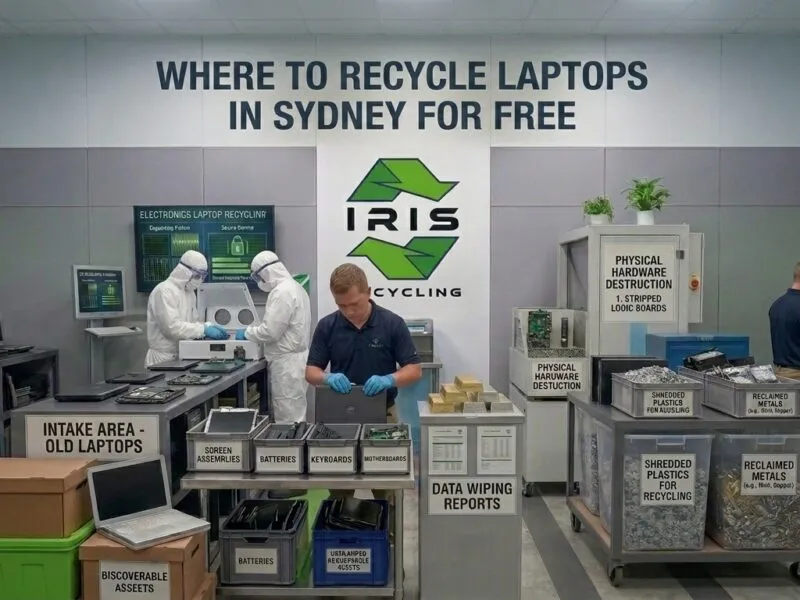
At IRIS Recycling, data destruction comes first. Every laptop collected from businesses and schools across Sydney goes through Active@ KillDisk erasure before sorting or recycling begins, aligned with the DoD 5220.22-M standard and more than 20 other internationally recognised data sanitisation standards. Drives that cannot complete a software wipe are physically destroyed, and every laptop is handled with a zero landfill commitment.
IRIS holds a 5.0 rating from more than 100 reviews, with customers describing on time collections, same day pickups, and a next day pickup arranged after another provider cancelled at the last minute. Free pickup is available across Sydney, and drop off is available at our Prospect location. Our guide on where to recycle laptops in Sydney for free explains how collections work.
Ready to retire your old laptops? Schedule your free laptop recycling pickup with IRIS Recycling today and give your business a data destruction process that meets the standard.