
An employee offboarding checklist is the set of steps a business follows to recover, secure, and properly retire company devices when someone leaves, covering everything from collecting the hardware to destroying the data on it. Most businesses have the collection part down. The laptop gets handed back, the desk gets cleared, and the process feels complete.
What gets missed more often than not, and what a genuine employee offboarding IT equipment checklist should always cover, is what happens to the device after it comes back. A returned laptop that sits in a drawer unwiped, or gets handed straight to the next new hire without a proper reset, carries the same data risk as one that was never returned at all. This checklist walks through every step an employee offboarding IT equipment checklist should include, from a laptop landing back on your desk to it either being reassigned or leaving the business for good.
What Should Be on an Employee Offboarding IT Equipment Checklist?
A complete checklist covers collecting every device and access credential, confirming backups of anything the business needs to keep, removing the device from company systems and licences, applying verified data destruction or a proper reset before reassignment, and documenting the whole process. Skipping any one of these steps leaves a gap, and the data destruction step is the one most commonly treated as optional when it should not be.
Why Does IT Equipment Get Overlooked During Offboarding?
Offboarding is usually driven by HR, with IT support looped in as an afterthought once the person has already left or is on their way out. That handoff gap is exactly where devices slip through without a proper reset. The focus tends to sit on access revocation, final pay, and exit paperwork, while what physically happens to the laptop, phone, or tablet gets handled informally by whoever happens to be free that day.
What Happens If a Returned Laptop Isn’t Wiped Properly?
Why Is a Reset Not the Same as a Wipe?
A standard factory reset or a quick reformat leaves most of the underlying data recoverable with freely available tools, even though the device looks clean and ready to hand to someone new. Our guide on why secure data destruction is essential before recycling computers explains exactly why this distinction matters.
What Data Is Actually at Risk on a Returned Device?
A departing employee’s laptop can hold saved logins, locally stored documents, cached client information and personal accounts that were never fully signed out. None of that disappears simply because the device has been handed back to the office. If that device is reassigned to a new starter without a returned laptop data wipe to a recognised standard, the previous employee’s access and the new employee’s activity end up mixed on the same unresolved drive.
Step 1: How Do You Collect the Device on Departure?
Build device collection into your standard company laptop return process rather than leaving it to whoever manages the exit interview. Collect every company owned device, including phones, tablets, and any external drives, and log each one against the employee’s name and departure date at the point of handover.
Step 2: How Do You Confirm What’s Backed Up Before Wiping?
Before anything is wiped, confirm that any files or work product the business needs to keep have been migrated to a shared drive or handed over to the employee’s manager. This is the same principle covered in our guide on how to prepare a laptop for recycling in 5 simple steps, and it applies just as much to an offboarding return as it does to a device being retired for recycling.
Step 3: How Do You Handle Company Data on a Personal Device?
If the employee used a personal phone or laptop for work under a BYOD arrangement, offboarding needs a separate process to remove company email, files, and app access from that device, since it never fully belongs to the business the way an owned laptop does. This is a different exposure to a returned company laptop, but it carries a similar risk if it is left unaddressed simply because the device itself was never company property. Our guide on why offices need professional electronic waste disposal covers the broader picture of managing devices businesses do not fully own or control.
Step 4: How Do You Deactivate Accounts and Software Licences?
Disable the employee’s user accounts, remove device enrolment from any mobile device management platform, and deactivate software licences tied specifically to that device. Licences for products such as Microsoft 365 or specialist industry software are often overlooked, left running and paid for long after the person who used them has gone, quietly costing the business money for no benefit.
Step 5: How Do You Securely Wipe or Retire the Device?
What Should Happen Before Reassignment?
Reassigning a device quickly to save on new hardware costs is understandable, but skipping the wipe step to save time is where the real risk creeps in. Any device being handed to a new employee should go through a full, verified wipe first, not just a factory reset, so the new starter begins on a genuinely clean device rather than one carrying invisible remnants of the previous user’s data.
What Should Happen If the Device Is Being Retired?
A device that is no longer useful should move into your standard offboarding device disposal process, the same one used for any other retired equipment across the business. Our guide on how businesses can dispose of old IT equipment safely covers what that process should include from collection through to recycling.
Step 6: How Do You Document the Offboarding Process for Compliance?
Record what was collected, when, from whom, and what happened to it, whether that means reassignment after a verified wipe or handover to a recycling provider for destruction. This record matters for the same reason chain of custody documentation matters in any other IT disposal scenario, since it is your evidence that the business met its obligations if the process is ever questioned.
What Should You Do With Devices That Aren’t Coming Back?
Sometimes a device is lost, was never returned, or belonged to a remote employee who is unreachable. Our guide on is e waste recycling really free is worth checking once you do get a batch of these devices together for collection. Flag these immediately rather than letting them sit as an open item, since an unresolved device carries the same data risk whether it left through a formal handover or simply never came back. Our guide on the top 10 items you can recycle with an e waste company is worth checking if the missing item is something other than a standard laptop, such as a mobile phone or a piece of networking equipment.
Frequently Asked Questions
Do I need to wipe a laptop before reassigning it to a new employee?
Yes. A factory reset alone is not sufficient, since it leaves most of the underlying data recoverable with freely available tools. Apply a verified wipe to a recognised standard before any returned device is reassigned, regardless of how quickly the new starter needs it.
What if an employee refuses to return a company laptop?
Treat it as an unresolved data risk and escalate through your normal HR and legal channels rather than leaving it as an open item. The data on that device remains your business’s responsibility under privacy law until it is recovered or the device is confirmed wiped remotely.
Should offboarding checklists cover personal devices used for work?
Yes, if your business allows BYOD. Removing company email, files and app access from a personal device is a separate step from collecting an owned laptop, and it is often missed simply because the device itself was never technically company property to begin with.
How long should offboarding IT records be kept?
Keep records of what was collected, when, and how it was handled for as long as your business retains other employment and compliance records. This documentation supports the same privacy obligations as any other IT disposal record and gives you evidence if a departure is ever queried.
Can returned laptops be recycled instead of reassigned?
Yes, and this is often the right choice for older devices nearing the end of their useful life. Route them into your standard recycling process with verified data destruction rather than storing them indefinitely on the chance they might be reassigned later.
Build a Reliable Offboarding Process With IRIS Recycling
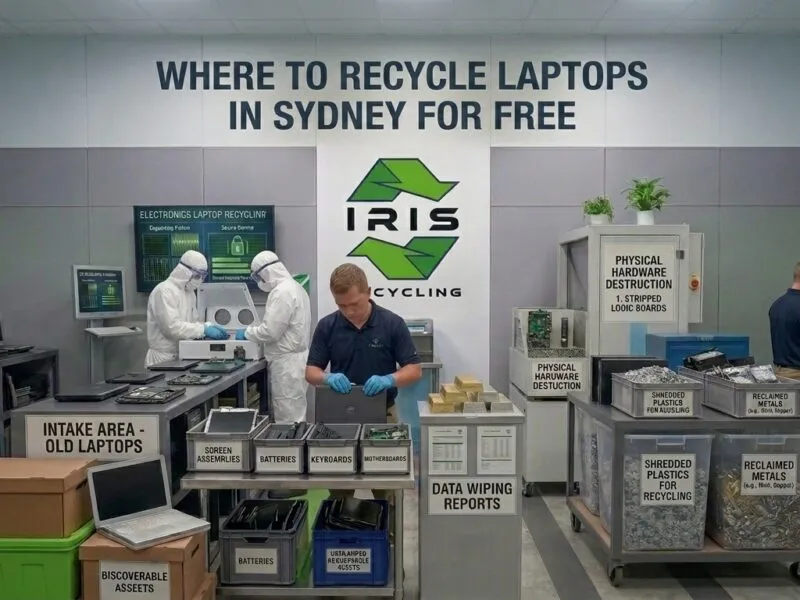
Whether a returned device is being wiped for reassignment or retired for good, IRIS Recycling applies Active@ KillDisk data destruction to every device collected from businesses and schools across Sydney, with zero landfill processing on everything that leaves your building. One reviewer described being collected within 30 minutes of calling, and another had their enquiry and pickup handled the same day, both reflected in a 5.0 rating from more than 100 reviews.
Building offboarding devices into a regular collection schedule, rather than letting them accumulate, keeps the process consistent no matter how many people come and go.
Ready to build data security into your offboarding process? Contact IRIS Recycling to arrange your next collection.