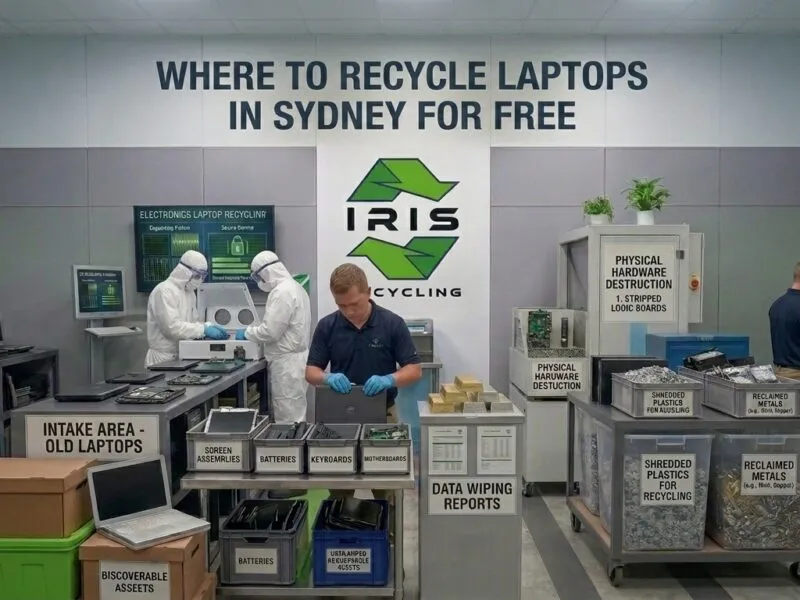


To recycle old laptops safely and securely, a business needs a process that destroys the data on every device before the hardware is recycled, not just a handover to whoever will take them. Most Sydney businesses have a stack of retired laptops in a storeroom, some too slow to use, some with broken screens, and some returned by staff who left months ago.
Nobody has decided what to do with them, so they get donated, sold, skipped, or left to gather dust. This guide explains how to recycle old laptops safely and securely, and why it matters more than most businesses realise.
What Is the Safest Way to Recycle Old Laptops?
The safest way is to audit every device, keep laptops separate from general tech waste, and hand them to a specialist recycler that wipes every drive to a named standard and gives you written proof. Informal routes such as donations, resale and general waste contractors leave the data on the drive and leave you with no evidence that you met your obligations.
Why Are Old Laptops a Bigger Risk Than They Look?
Why Does a Broken Laptop Still Hold Data?
A laptop that will not turn on or has a cracked screen looks like junk, but its drive almost certainly still holds emails, downloaded documents, saved passwords, client records, and cached logins for internal systems. None of that disappears because the laptop stopped being useful.
What About Laptops Returned by Departing Staff?
A device handed in at the end of someone’s employment may still hold personal logins, locally saved files, and access credentials that were never cleared. Without a plan, it sits in storage with that data intact.
What Does the Privacy Act Require?
The Privacy Act 1988 and the Australian Privacy Principles require businesses to take active steps to destroy personal information once it is no longer needed. A laptop in a storeroom with unwiped data is an unresolved compliance obligation, not just a storage problem. Our guide to laptop recycling and data security covers the legal side in more detail.
What Are the Wrong Ways to Recycle Old Laptops?
Before looking at the right process, it helps to see why the informal options most businesses reach for first create problems rather than solving them.
Donating Without Wiping
Donating to schools or charities is generous, but the recipient rarely has the tools to check what remains on the drive. The donation does not transfer your data liability. It only makes it harder to manage.
Selling to a Second Hand Dealer
A formatted or factory reset laptop sold through a resale channel is not a securely wiped laptop. Standard formatting leaves the underlying data intact, and a buyer with basic recovery software can reach it within minutes.
Using a General Waste Contractor
General waste contractors collect and remove, but they cannot verify data destruction. Laptops cleared during an office cleanout may end up in landfill or be resold through informal channels, and the business is left with no chain of custody record. Our guide on why offices need professional electronic waste disposal explains the alternative.
What Steps Make Laptop Recycling Safe and Secure?
Step 1: Audit Every Laptop Before It Goes Anywhere
Record the make, model, approximate age, and whether each device held company, client, or staff data. This audit becomes the starting record for chain of custody documentation and shows which devices need verified destruction. These steps to prepare a laptop for recycling make a handy companion.
Step 2: Keep Laptops Separate From General Tech Waste
Group laptops, tablets, and phones together, and keep cables, keyboards, and accessories in another pile. This lets the recycler apply the right process to data bearing devices so they are not mixed in with items that go straight to material processing. Keeping the two groups apart also speeds up the collection on the day.
Step 3: Do Not Wipe Laptops In House at Scale
A factory reset may suit one personal device, but across ten, fifty, or two hundred laptops it is slow, inconsistent, and impossible to verify. Consumer tools do not meet business grade requirements, so use a specialist recycler that erases every device as standard and documents the result, which manual wiping cannot do.
Step 4: Confirm the Erasure Standard Your Recycler Uses
A vague promise of secure wiping is not independently verifiable, so ask which named standard applies. DoD 5220.22-M specifies multiple overwrite passes, while NIST 800-88 covers both traditional and solid state drives. A recycler that cannot name its standard has a gap worth taking seriously.
Step 5: Confirm What Happens to Laptops That Cannot Be Wiped
Drives too damaged to complete a software wipe should be physically destroyed, not sent through recycling with data intact. Ask about this before collection day, and see our hard drive destruction guide for how it works.
Step 6: Back Up Anything Worth Keeping
A verified wipe is permanent, so migrate locally saved files to a shared drive before collection. For larger batches, have each laptop’s last user or the IT team sign off that it is cleared for disposal.
Step 7: Request Documentation
Verbal confirmation is not enough when you have Privacy Act obligations. Ask for a chain of custody record covering every device, the erasure method, and the outcome, which is your evidence if you are ever questioned in a privacy investigation. Read more on why secure data destruction is essential before recycling computers.
What Happens to Laptops After They Are Recycled?
Once data destruction is complete, laptops are sorted by condition. None of this happens before erasure.
Refurbishment
Devices in reasonable working order may be refurbished and returned to use, which is the best environmental outcome because it delays the need for new manufacturing.
Component Harvesting
Laptops too old or damaged to refurbish can have batteries, screens and internal parts removed for reuse in repairs.
Material Recovery
Everything else is separated into metals, plastics and other materials, then processed through appropriate downstream handlers to keep it out of landfill. See what happens to your electronics after recycling for the full journey.
When Should You Schedule a Laptop Recycling Collection?
What Are the Natural Trigger Points?
Laptop recycling recurs at the end of device refresh cycles, when staff leave, and during office moves. End of financial year write offs, the end of a device lease, and the arrival of replacement hardware are all natural moments to schedule a collection before old devices start piling up.
Why Does Prompt Collection Matter?
Building recycling into your IT calendar instead of treating it as a reactive clearout keeps volumes manageable. Devices that are logged, collected, and processed soon after retirement are a much smaller compliance risk than devices that sit in storage for months waiting for someone to organise a pickup.
Frequently Asked Questions
Can I recycle a laptop that will not turn on or has a broken screen?
Yes, and you should. The drive inside usually still holds data even when the laptop is unusable. A recycler will either wipe it with verified software or physically destroy the drive, so a broken laptop never needs to skip data destruction, whatever its condition.
What should I do with laptops returned by departing staff?
Log each one at offboarding, store it securely, and add it to your next recycling collection rather than leaving it in a cupboard. Every returned laptop may still hold logins and local files, so it needs verified erasure like any other retired device.
What should I back up before recycling a business laptop?
Back up any locally saved documents, client files, project folders, and exported emails to a shared drive, because a verified wipe is permanent. Have the last user or your IT team sign off that each device is cleared before it is collected by your recycler.
Is there a minimum number of laptops for a business pickup?
IRIS Recycling’s service is built for bulk collections from businesses and schools. If you are unsure whether your volume qualifies, send a rough estimate of your device numbers and the team will confirm whether a free pickup suits your collection needs.
Do recycled laptops end up in landfill?
Not with a responsible recycler. After data destruction, laptops are refurbished, stripped for reusable components, or broken down into materials that go to downstream handlers. IRIS Recycling works to a zero landfill commitment for every single collection.
Where Can Your Business Recycle Old Laptops in Sydney?
At IRIS Recycling, laptop recycling for Sydney businesses includes Active@ KillDisk data destruction on every device before anything else happens, chain of custody logging from collection through to processing, and zero landfill recycling for every laptop we collect. IRIS holds a 5.0 rating from more than 100 reviews, with customers praising fast, reliable and friendly collections, including a next day pickup arranged after another provider cancelled at the last minute.
Free pickup is available for businesses and schools across Sydney, and drop off is available at our Prospect location. Our guide on where to recycle laptops in Sydney for free explains how it works.
Have a stack of old laptops taking up space? Book your free laptop recycling pickup with IRIS Recycling today and clear them out safely, securely, and at no cost.