
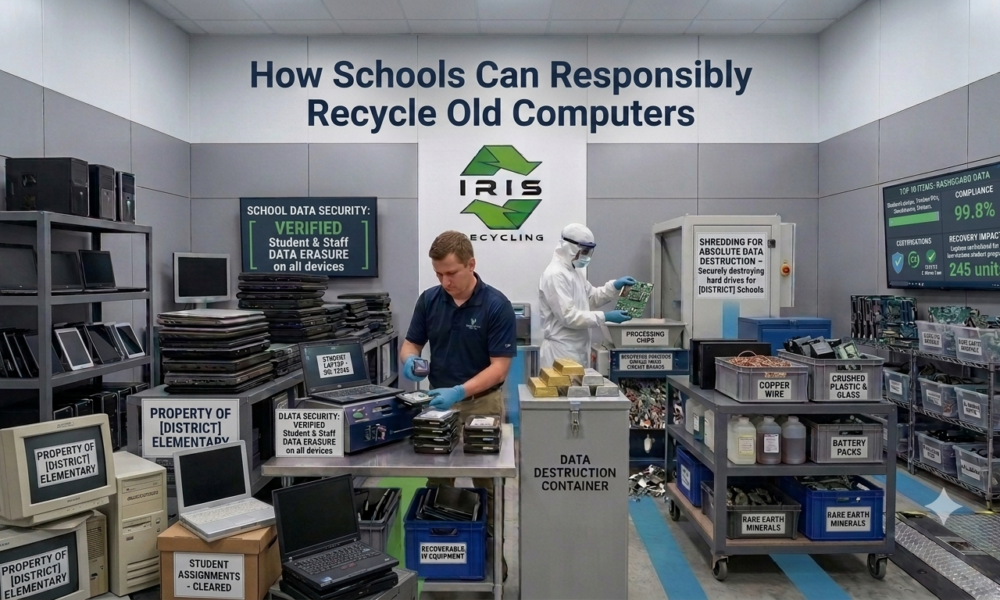
To Recycle Old Computers responsibly, a school needs a process that removes student and staff data from every device and sends the hardware to a specialist electronic waste recycler, not a skip bin. Schools are among the largest users of technology in Australia, and when lab computers, tablets and staff laptops reach the end of their life, most are left with a disposal problem they are not equipped to handle.
The challenge is not just logistical. Old school computers hold personal data, contain hazardous materials, and carry privacy obligations. This guide explains how schools can recycle old computers responsibly, from understanding the risks to arranging the right collection.
What Is the Right Way for Schools to Recycle Old Computers?
Audit every device, separate data bearing equipment from general tech waste, and hand everything to a specialist recycler that applies verified data erasure before processing and sends nothing to landfill. Then keep written confirmation on file so the school can show it met its privacy obligations.
Why Is Computer Recycling Different for Schools?
What Sensitive Data Do School Devices Hold?
Over its lifespan, a school computer accumulates student login credentials, academic records, staff personal information, parent contact details, and internal administrative data. None of it disappears when the device is retired. It stays on the drive until it is verifiably removed.
Do Privacy Laws Apply to Schools?
Yes. Private and independent schools are generally covered by the federal Privacy Act 1988 and the Australian Privacy Principles, while government schools fall under state or territory privacy laws. Either way, personal information must be destroyed when it is no longer needed, and a device that is donated, resold, or dumped without verified erasure does not meet that standard. Our guide on why secure data destruction is essential before recycling computers explains why.
Why Is General Waste Not an Option?
School computers contain lead in solder, mercury in some backlights, and lithium in batteries. Electronic waste should not go into general waste bins, and some states, including Victoria, ban it from landfill outright. Using a skip bin or council collection creates an environmental problem, whatever the intent, as our guide to the environmental benefits of electronic waste recycling shows.
What Challenges Do Schools Face With Electronic Waste?
Why Do Devices Pile Up Faster Than They Are Cleared?
Devices that once lasted eight to ten years are now often replaced every three to five, particularly under government funded device programs. The result is a growing backlog of retired equipment in IT storerooms with no disposal plan.
How Do Budget Constraints Affect Disposal?
Most schools have no dedicated IT asset disposal budget, so electronic waste gets handled informally with whatever option is cheapest or most convenient. That works for general waste but creates real problems for devices that carry data and hazardous material obligations.
Why Are Schools Unsure What Is Allowed?
Many IT coordinators and business managers are not sure what can be donated, what must be destroyed, and what simply needs recycling. The result is often inaction, with devices sitting in storage because nobody is confident about the right answer.
What Steps Should Schools Follow to Recycle Old Computers Responsibly?
Step 1: Do a Device Audit
List every device type, quantity, and age, and note whether it was connected to the school network or held student and staff data. This defines the scope of the collection and starts your chain of custody record. Our steps to prepare a laptop for recycling work well for school devices too.
Step 2: Separate Data Bearing Devices From General Tech Waste
Cables, keyboards, mice, and most peripherals hold no data. Computers, laptops, tablets, servers, and storage media must be flagged for verified data destruction before processing. Keeping the groups apart from the start makes collection more efficient.
Step 3: Do Not Attempt DIY Data Wiping
A factory reset or manual format leaves underlying data recoverable. Devices that held student or staff information need destruction to a recognised standard, not a best effort wipe by an IT coordinator working through a hundred devices before the end of term.
Step 4: Engage a Specialist Electronic Waste Recycler
A specialist handles data destruction, collection, and processing as one coordinated process. For a school, that means a single pickup covering every device, verified erasure before anything is sorted, and zero landfill recycling for all collected items.
Step 5: Request Documentation for Compliance Records
Ask for written confirmation that your devices went through verified destruction and recycling. It gives you an evidence trail if the school is ever questioned, and a record for internal governance and audits.
Which Computers and Devices Can Schools Recycle?
Desktops and Laptops
Desktops and all in ones from upgraded or closed labs are the most common items, while school issued laptops pile up when a one to one program ends. Each may hold student logins, downloaded assignments, and cached school credentials, so each needs secure erasure first.
Tablets and iPads
Shared classroom tablets and devices from government programs are a growing category. They need the same destruction standard as laptops, applied through a verified process before collection.
Servers and Networking Equipment
Schools upgrading on premise servers or networking equipment generate high risk waste, because server drives can hold years of administrative data and student records. Our hard drive destruction guide explains how these drives are handled.
Printers and Multifunction Devices
Older laser printers and copiers in school offices may contain internal drives that store copies of scanned or printed documents. They deserve the same data security consideration as computers.
Monitors and Peripherals
Monitors, keyboards, mice, and cables carry no data risk but still need electronic waste processing. They can be collected in the same pickup, clearing the storeroom in one visit, and our list of the top 10 items you can recycle with an e waste company shows what else can go.
What Mistakes Do Schools Make With Electronic Waste?
Donating Devices Without Wiping Them
Donating to community organisations or families is well intentioned, but a donated device with student or staff data still on it is a privacy breach, whatever the motive. Verified erasure must happen before it leaves the school.
Using a General Waste Contractor
General waste contractors cannot verify data destruction, sort electronics by material, or route devices to downstream recyclers. A cleared storeroom does not mean the devices were disposed of responsibly.
Waiting Too Long
Retired devices in storage are an unresolved data risk for as long as they stay on school premises. Making collection a regular part of the IT refresh cycle prevents the backlog and keeps that risk window short.
When Is the Best Time for a School Electronic Waste Collection?
End of Year or End of Term
A holiday break is the most practical time, because the school is quieter and IT staff have more flexibility. End of year collections also line up with annual asset write offs and refresh cycles.
After a Device Program Refresh
Government and grant funded programs have natural end of life cycles. When new devices roll out and old ones are returned, arrange a bulk collection rather than storing them indefinitely.
During a Renovation
Building works and classroom refits regularly surface forgotten equipment. Scheduling a collection alongside the renovation clears it in one organised step.
Frequently Asked Questions
Do schools have to wipe computers before recycling them?
Yes. Devices that held student or staff information must have that data destroyed to a recognised standard before they leave the school. A factory reset or manual format is not enough, so use a recycler that applies verified erasure to every single device.
Can a school donate old computers to students or community groups?
Only after verified data erasure. A donated device with student or staff data still on it is a privacy risk, whatever the intention behind the donation, so wipe every device to a recognised standard and keep the documentation before it leaves the school.
Do school printers and copiers need data destruction?
Yes, and they are often overlooked. Many older laser printers and multifunction copiers contain internal drives that store copies of scanned or printed documents. Include them in your collection so they receive the same erasure or destruction as your computers and servers.
Can collections be arranged around school terms and holidays?
Yes. IRIS Recycling schedules collections around your term dates, including school holiday periods and weekend pickups, so the whole process does not disrupt staff or students. Contact the team to agree a date that suits your school calendar and staffing.
Does it cost a school anything to recycle old computers with IRIS?
IRIS Recycling offers free electronic waste pickup for schools across Sydney. Send a rough estimate of your device numbers and the team will confirm how a bulk collection can be arranged, so your storeroom is cleared in one visit, and nothing is left behind.
Where Can Your School Recycle Old Computers in Sydney?
IRIS Recycling provides free pickup for schools and educational institutions across Sydney. We collect computers, laptops, tablets, servers, and all associated tech waste in a single scheduled visit, and every device goes through Active@ KillDisk data erasure before processing. Everything collected is handled with a zero landfill commitment, and there is no cost for school collections.
IRIS holds a 5.0 rating from more than 100 reviews, with customers describing on time, friendly, and same day service. Our guide on where to recycle laptops in Sydney for free explains how collections work.
Looking for a simple way to clear your school’s IT storeroom? Then you are in the right place. Request your free school pickup with IRIS Recycling today.